
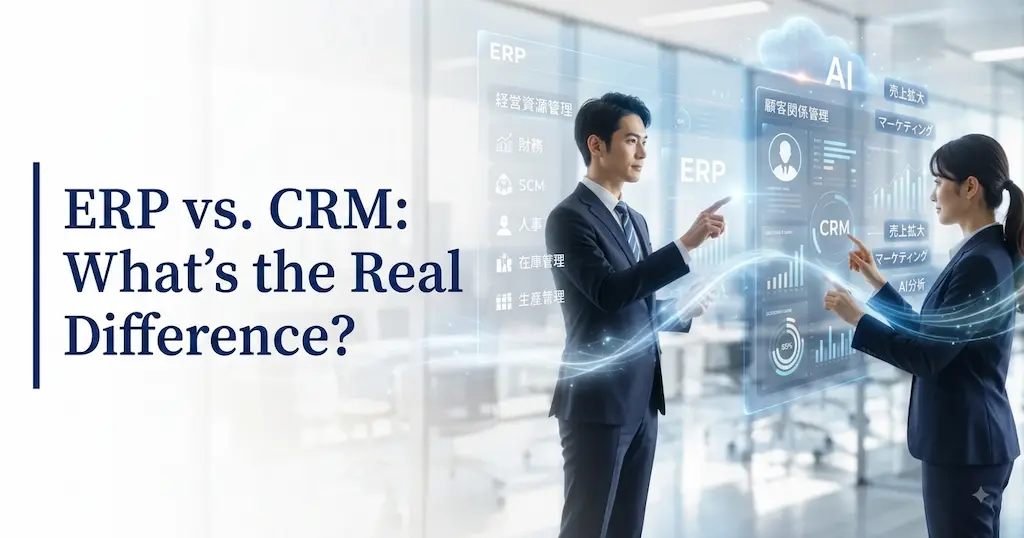
We regularly hear from clients asking, “What’s the actual difference between ERP and CRM?” and “Which one should we implement first?”
ERP and CRM serve different purposes, but connecting the two lets you manage sales, inventory, and customer data from a single source of truth.
In this article, we’ll walk through the differences between ERP and CRM, how their roles complement each other, what changes when you connect them, and how to decide which one to implement first.
ERP vs. CRM: What’s the Difference?
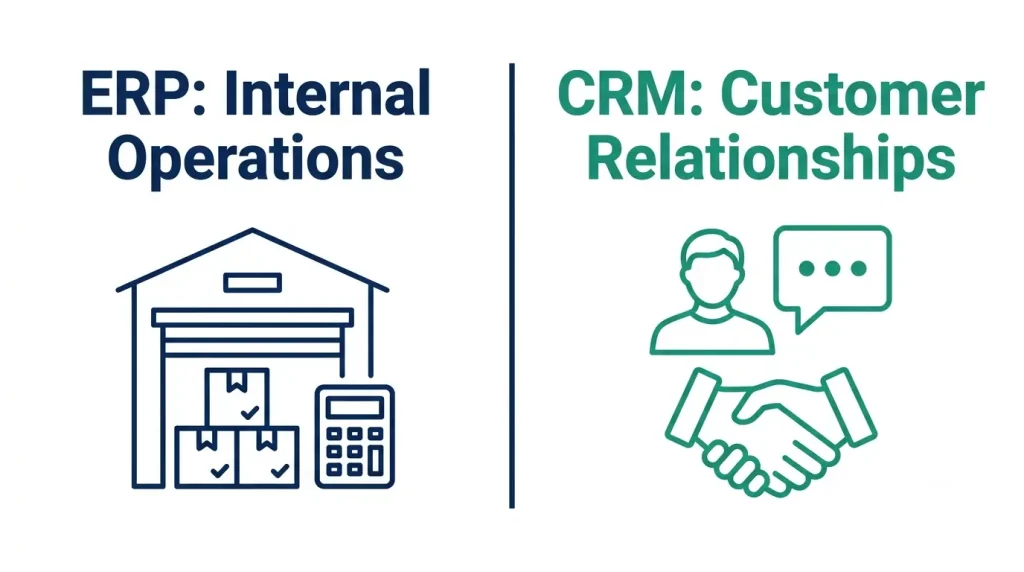
ERP and CRM manage different things entirely. Let’s start with the basics: what does each system actually do?
ERP: The System That Runs Your Internal Operations
ERP (Enterprise Resource Planning) is a system that unifies core business operations — inventory, order management, shipping and receiving, accounting, and more — into a single platform.
For manufacturers and distributors, ERP is what lets you answer questions like “how much inventory do we have right now?” and “what were this month’s revenue and cost of goods sold?” It’s the back-office foundation that keeps internal operations running.
- Well-known ERP platforms: Microsoft Dynamics 365 Business Central, SAP, and Oracle NetSuite.
CRM: The System That Manages Customer Relationships
CRM (Customer Relationship Management) is a system for managing everything related to your customers — contact information, deal history, support tickets, and marketing activity.
With a CRM, your entire sales team can see which stage a given deal is in, or what a customer asked about the last time they reached out.
- Well-known CRM platforms: Dynamics 365 Sales, Salesforce, and HubSpot.
ERP vs. CRM, in Plain Terms
Put simply: ERP tells you what’s happening inside your company. CRM tells you what’s happening with your customers.
- ERP: Manages inventory, accounting, and order/shipping data.
- CRM: Manages customer information, deals, and sales activity.
The two are complementary — and connecting them lets you manage sales, inventory, and customer data from one unified view.
Common Challenges for Manufacturers and Distributors — and Where Each System Fits In
The Common Problem: Scattered Information Slows Down Decisions
It’s common for manufacturers and distributors to have information siloed across departments.
For example, the sales team might track customer information in a spreadsheet while the warehouse team manages inventory in a completely separate system. Under that setup, sales reps can’t check accurate inventory levels and can’t confidently commit to an order.
Some companies also don’t have a way to automatically feed order data into production and shipping plans — relying on emails or manual entry instead.
The result: inventory checks take longer, shipping instructions get delayed, and manual entry errors creep in. Monthly reporting for leadership can also end up taking several days to put together.
How ERP and CRM Solve This
- ERP: Centralizes your inventory, order, and accounting data so you can see company-wide numbers in real time. It also streamlines consolidated financial reporting across the broader organization.
- CRM: The tool that manages your sales and marketing information. Every team member can see a given customer’s purchase history, support history, and deal status. Instead of that knowledge living in one rep’s head, it becomes a company asset — making it easier to spot repeat business and upsell opportunities with existing customers.
What Changes When You Connect ERP and CRM: The Synergy of Unified Data
ERP and CRM are each useful on their own, but connecting them unlocks real synergy. Here’s a look at three ways that connection changes day-to-day operations.
1. Orders, Shipping, and Invoicing Flow Automatically
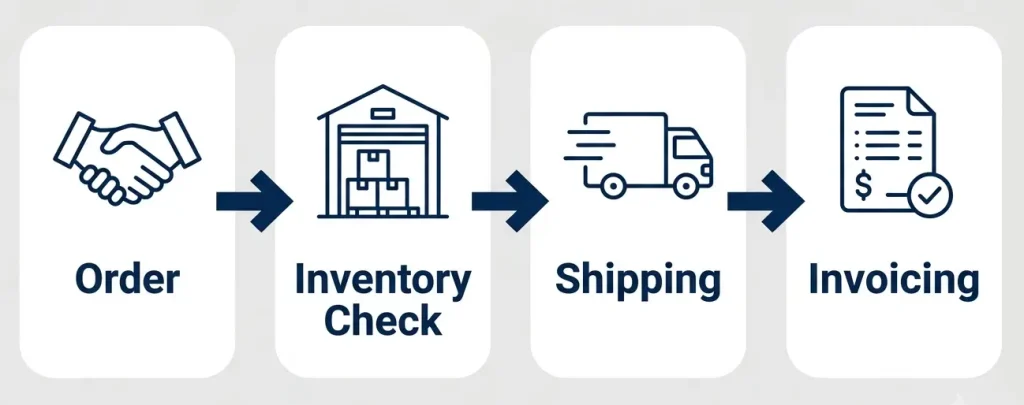
When ERP and CRM are connected, the path from order to shipment to invoice becomes seamless.
For example, once a deal in your CRM is marked as closed-won, your ERP can automatically trigger an inventory check and shipping instructions — all the way through to invoice generation.
For manufacturers, a large order captured in CRM can feed directly into ERP production planning, making it easier to adjust material orders and manufacturing schedules efficiently.
2. Sales Reps Get Real-Time Visibility into Inventory and Delivery Timelines
Picture a sales rep who has to check with the warehouse or IT team every time a customer asks about inventory.
Connect ERP and CRM, and that rep can see current inventory levels and delivery timelines directly from the CRM screen.
Sales reps can answer customer questions on the spot. The result is better customer satisfaction — and fewer interruptions for your warehouse and IT teams.
3. Leadership Gets a Real-Time View of the Whole Business
Combining ERP financial and inventory data with CRM sales forecasts and deal data in Power BI gives you a powerful executive dashboard.
Questions like “what’s our open order backlog this month?”, “which customers make up the largest share of revenue?”, and “which products are running low on inventory?” become instantly visible.
Dashboards like this can also streamline — and in some cases fully automate — monthly reporting for leadership.
Task Comparison Before and After Integration
| Task | Before Integration | After Integration |
|---|---|---|
| Order management | Scattered across CRM, spreadsheets, and email | Automatically synced to ERP once an order is confirmed |
| Inventory checks | Sales reps check with the warehouse team each time | Inventory and delivery timelines visible right in the CRM |
| Reporting | Manually compiled from multiple files | Dashboards built in Power BI |
Which Should You Implement First? A Decision Framework
The General Rule: ERP Usually Comes First
Think of ERP as your internal operational foundation, with CRM as the customer-management layer that sits on top of it.
If you implement CRM before your ERP is in good shape, you’ll be able to manage deal data — but inventory checks, shipping, and invoicing will remain manual processes.
We generally recommend getting your internal processes and numbers in order with ERP first, then strengthening the customer-facing side with CRM.
When CRM Should Come First
If your core operations are already stable and running smoothly, but customer information lives in individual reps’ heads or personal notes, it makes sense to implement CRM first.
Fast-growing companies sometimes prioritize CRM first as well, in order to move quickly on customer acquisition. It’s also common to keep an existing ERP in place and simply add CRM on top of it.
A Quick Decision Checklist
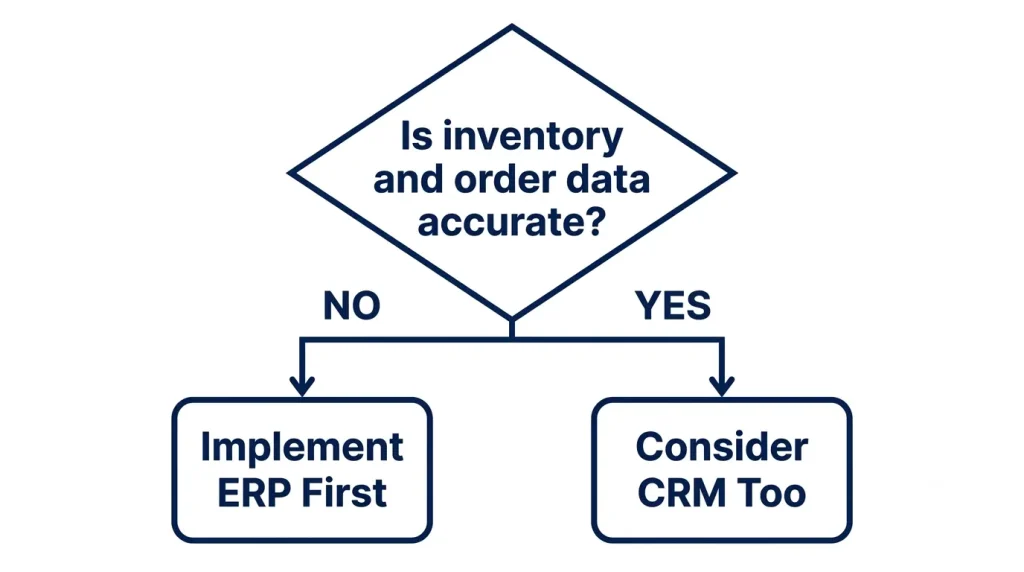
If you’re unsure which to implement first, ask yourself these three questions:
- Can you currently manage inventory, orders, and accounting accurately? → If not, start with ERP.
- Is customer information managed individually by each sales rep? → If so, CRM should be a priority soon.
- Are both of these issues present at once? → Consider implementing ERP and CRM together from a single vendor.
How JBS USA Can Help: Getting the Most Out of ERP + CRM
Thinking Through Your ERP and CRM Options
ERP is the system that handles accounting, order management, shipping and receiving, and inventory. CRM is the system that supports customer information and deal management. JBS USA provides end-to-end support for selecting, implementing, and running this kind of ERP and CRM software.
The right combination of ERP and CRM depends on your existing systems, workflows, and the scope of data you need to manage. JBS USA starts by mapping out your current operational challenges, then recommends how to make the most of Microsoft products — including Business Central — along with a phased approach to implementation.
5 Reasons Companies Choose JBS USA

JBS USA brings unique strengths to every project:
- Bilingual support in Japanese and English
- One-stop coverage across ERP, CRM, BI, and AI
- End-to-end support from requirements gathering through ongoing operations
- Cost savings through license optimization
- A track record across manufacturing, distribution, and service industries
JBS USA also brings a unique strength: acting as the bridge between an overseas headquarters and US operations, helping align expectations on both sides throughout the implementation.
Summary
ERP is the system that runs your internal operations. CRM is the system that manages your customer relationships.
Implementing just one of the two leaves your sales, inventory, and customer data disconnected. Connecting both systems lets everything — from order to shipment, invoicing, and customer follow-up — flow automatically through a single, unified view, unlocking the full value of both platforms.
If you’re considering implementing or connecting ERP and CRM in the US, reach out to our team that handles approximately 600 IT support and project engagements annually. JBS USA offers a free assessment to help map out your current challenges and recommend the right implementation sequence for your business.
Frequently Asked Questions (FAQ)
Q1. What’s the simplest way to explain the difference between ERP and CRM?
A. ERP is a back-office system that manages your internal operations — inventory, order management, accounting, purchasing, and more, all in one place.
CRM is a front-office system that manages your customer relationships — deals, contact information, support history, and similar data.
For a manufacturer, think of it this way: production-line inventory management runs through ERP, while the customer information your sales team uses lives in CRM.
Q2. Should we use the same vendor for both ERP and CRM?
A. We generally recommend sticking with a single vendor.
Using different vendors means each vendor needs documentation to understand the other system’s configuration and requirements, which tends to add communication and design overhead compared to a single-vendor setup.
Standardizing on one platform — Dynamics 365, for example — makes it easier to connect ERP and CRM and reduces development effort.
That said, if one system is already up and running, it’s worth weighing the cost of integrating with your existing setup when comparing your options.
Q3. If we implement ERP, do we automatically get CRM functionality too?
A. No — ERP and CRM are separate systems.
Implementing ERP alone doesn’t give you CRM capabilities.
That said, if you’re on Dynamics 365 Business Central, integrating with Dynamics 365 Sales (also a Microsoft product) is relatively straightforward.
A phased approach — implementing ERP first and adding CRM six months to a year later — is also a reasonable path.
Q4. Which should we implement first, ERP or CRM?
A. In general, we recommend implementing ERP first.
ERP is your internal operational foundation — the data layer everything else builds on. CRM is the customer-management layer that sits on top of it.
If you implement CRM before your ERP is in good shape, you’ll be able to manage deals, but inventory checks and invoicing will remain manual.
On the other hand, if your core operations are already stable and the real challenge is siloed customer information or over-reliance on individual sales reps, implementing CRM first makes sense.
JBS USA offers a free assessment to help you map out your current state and think through the right implementation sequence.
Q5. Does a manufacturing-focused ERP still need CRM?
A. Yes — CRM is especially valuable for manufacturers.
Feeding CRM deal data into ERP production and inventory planning lets you spot upcoming demand earlier.
For example, if next month’s expected large order flows into your production plan, you can plan material sourcing and manufacturing lead times ahead of time — reducing the risk of both stockouts and excess inventory.
Q6. How much does it cost to connect ERP and CRM?
A. Integration cost varies significantly depending on your system setup and connection method.
Common patterns include:
- Same-platform integration: Typically keeps additional costs low.
- Custom integration via APIs: Cost varies depending on requirements.
- Automated integration through tools like Power Automate: Usually a lower-cost way to get started.
For midsize companies, standardizing on a single platform like Dynamics 365 tends to be the most cost-effective option. That said, an accurate cost estimate requires reviewing your existing systems and the scope of integration needed.
Q7. Is customized ERP/CRM available for companies with overseas operations?
A. Yes — we can configure and customize ERP and CRM to fit the needs of companies with operations outside the US.
Dynamics 365 can switch to Japanese and several other language UIs.
Companies with overseas operations often need things like:
- Multilingual reporting
- Support for a non-US fiscal year
- EDI integration
- Consolidated reporting with an overseas headquarters
- Monthly reporting for an overseas headquarters
JBS USA has a track record of implementations tailored to these kinds of requirements. As a partner you can work with in either Japanese or English, we help bridge the gap between an overseas headquarters and your US operations.
Q8. What kind of support can we get by working with JBS USA?
A. JBS USA provides the following support for ERP and CRM implementations:
- Mapping out operational challenges
- Recommending the right implementation priority for ERP and CRM
- Requirements definition and workflow mapping
- Product selection support
- Design, build, and data migration
- EDI integration
- Bilingual (Japanese-English) training
- Ongoing operations and support
- License optimization
We’ll recommend the right combination of Dynamics 365 Business Central and Dynamics 365 Sales — or another configuration entirely — based on how your business actually operates. Contact us here for a free consultation.

[Author Bio]
Masaya Tatsuta (Director, Engineering & Sales)
Prior to joining JBS USA, Masaya gained extensive experience at a general trading company and a management consulting firm. At JBS USA, as Director of Engineering and Sales, he leads IT infrastructure, system development, and ERP consulting services for both Japanese and non-Japanese enterprises in North America. He holds certifications in project management and Power BI data analytics.